979e222e68
|
||
|---|---|---|
| .. | ||
| bitbucket-config-template.json | ||
| github-snowflake.md | ||
| readme.md | ||
| snowflake-data-lineage.png | ||

readme.md
Grab files in a Github/Bitbucket repository and send them to the SQLFlow for analyzing and return the data lineage.
1. Prerequisites
Install Java
- Java 8 or higher version must be installed and configured correctly.
setup the PATH like this: (Please change the JAVA_HOME according to your environment)
export JAVA_HOME=/usr/lib/jvm/default-java
export PATH=$JAVA_HOME/bin:$PATH
After install Java, make sure this command executed successfully:
java -version

java version "1.8.0_281"
Java(TM) SE Runtime Environment (build 1.8.0_281-b09)
Java HotSpot(TM) 64-Bit Server VM (build 25.281-b09, mixed mode)
Install git
- ubuntu:
sudo apt-get install git
- centos:
sudo yum install git
- mac:
brew install git
- windows:
1.Go to the Git official website to download, website address: https://git-scm.com/downloads
2.Run the Git installation file and click Next to finish the installation
After the installation is completed, run git --version to check it is installed successfully.
git --version

git version 2.30.1 (Apple Git-130)
2. Set up grabit configuration file
Create a config file with name such as: gitServer.conf.json and put it under the same directory
where start.sh or start.bat file of the grabit tool is located.
{
	"SQLScriptSource":"gitserver",
	"lineageReturnFormat":"json",
	"databaseType":"sparksql",
	"gitserver":{
		"url":"https://bitbucket.org/username/repo",
		"username":"your user name",
		"password":"your password",
		"sshkeyPath":""
	},
	"SQLFlowServer":{
	"server":"https://api.gudusoft.com",
	"serverPort":"",
	"userId":"your user id",
	"userSecret":"your secret code"
	},
	"enableGetMetadataInJSONFromDatabase":0
}
Please check this document (https://github.com/sqlparser/sqlflow_public/blob/master/sqlflow-userid-secret.md) if you don't know your userId and userSecret of the SQLFlow Cloud.
3. Run grabit in command line
Linux or Mac:
./start.sh /f gitServer.conf.json
Windows:
start.bat /f gitServer.conf.json
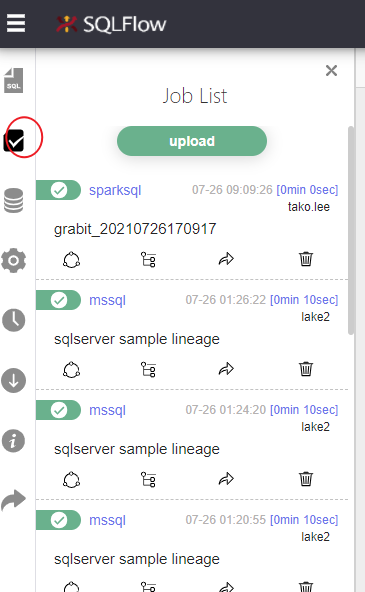
4. Check data lineage on SQLFlow Cloud