 979e222e68
|
||
|---|---|---|
| .. | ||
| datahub-sqlflow-dbt-customers-gudu-sqlflow-column-level-result.png | ||
| datahub-sqlflow-dbt-customers-gudu-sqlflow-column-level.png | ||
| datahub-sqlflow-dbt-customers-gudu-sqlflow-table-level.png | ||
| datahub-sqlflow-dbt-customers-gudu-sqlflow.png | ||
| datahub-sqlflow-dbt-customers.png | ||
| datahub-sqlflow-dbt.png | ||
| readme.md | ||


readme.md
Integrate Gudu SQLFlow with Datahub
DataHub is an open-source metadata platform for the modern data stack.
Gudu SQLFlow is a powerful data lineage tool.
Integrate the Gudu SQLFlow with the Datahub enable you easily understand the end-to-end journey of data by tracing lineage across platforms, datasets at the column level.
We have built a test envionment so you can see how Gudu SQLFlow works with the Datahub.
Demo
Please login Datahub with Gudu SQLFlow with username: datahub, password: datahub
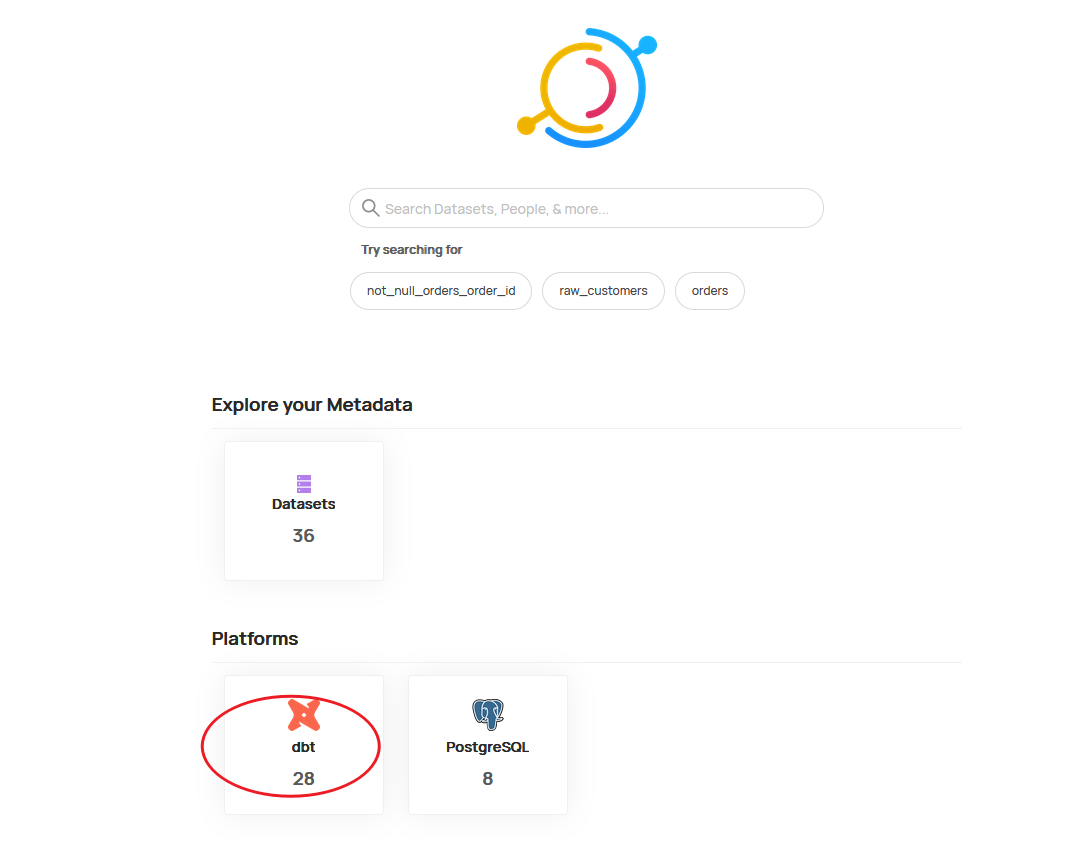
1. After login, just click the dbt icon
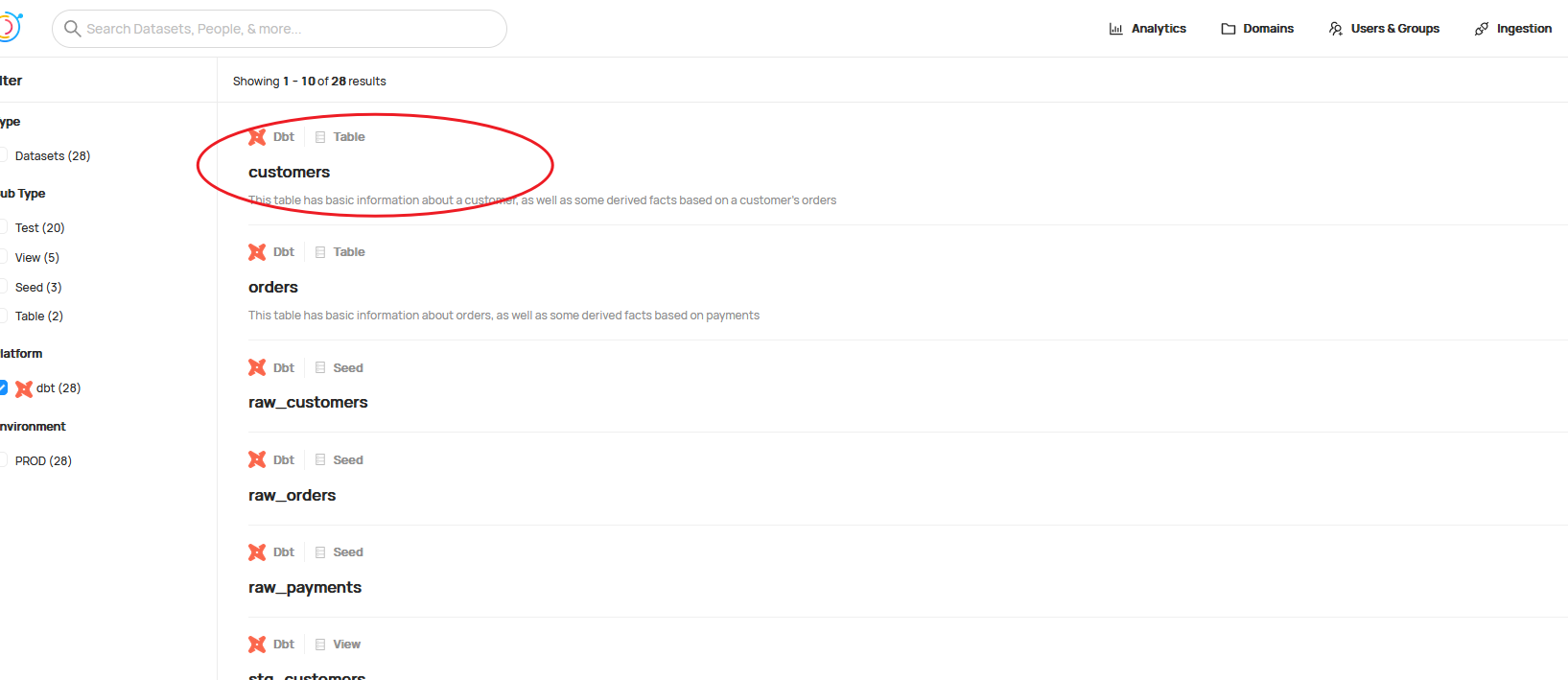
2. Select the customer table
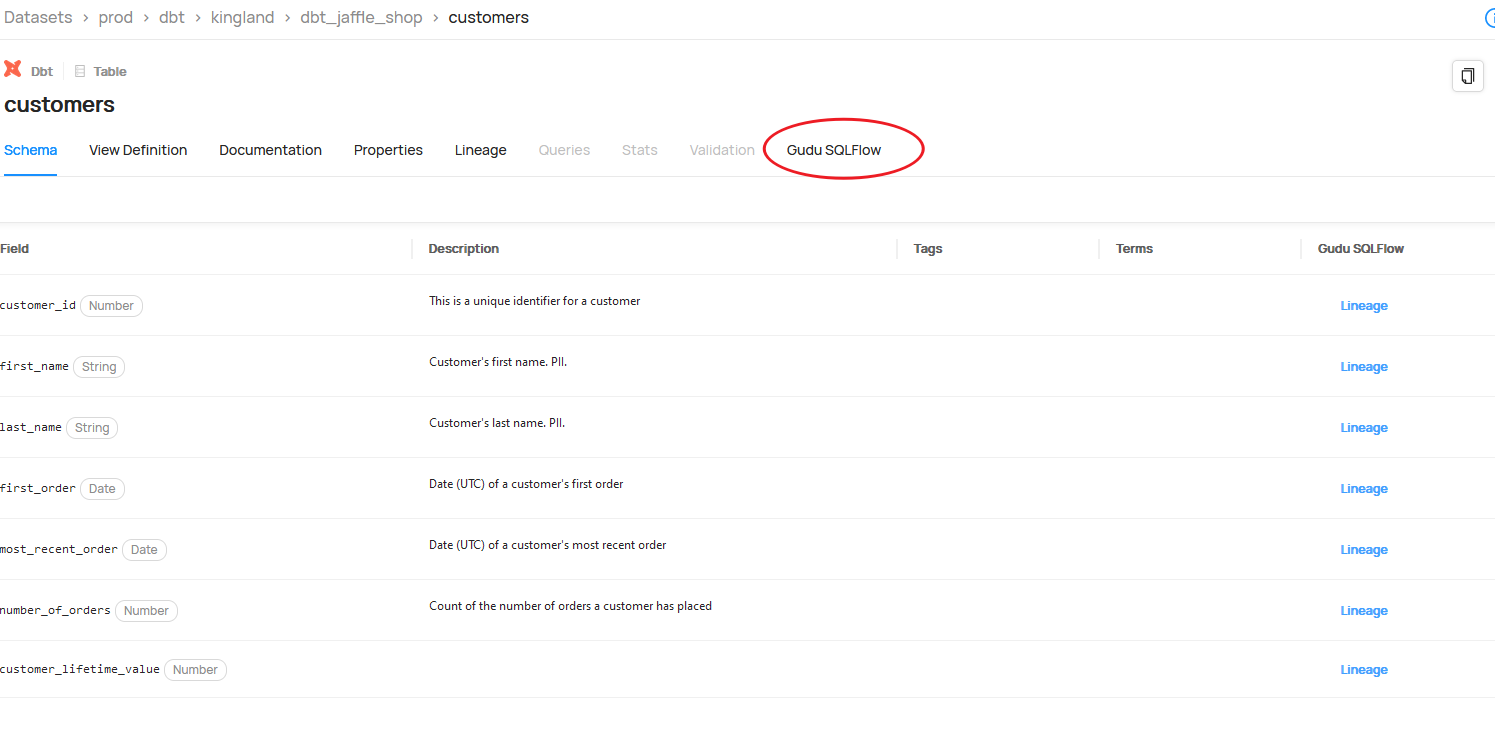
3. You will see the Gudu SQLFlow tab
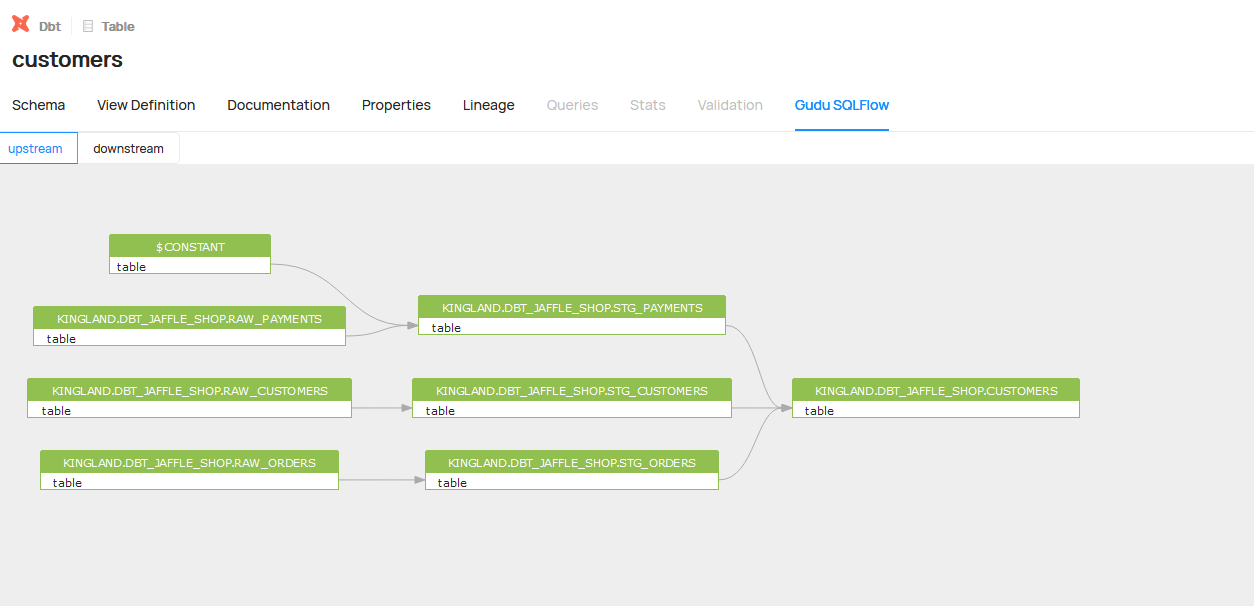
4. Click the Gudu SQLFlow tab to see the upstream and downstream of this table
5. Check the column level lineage by click the lineage item
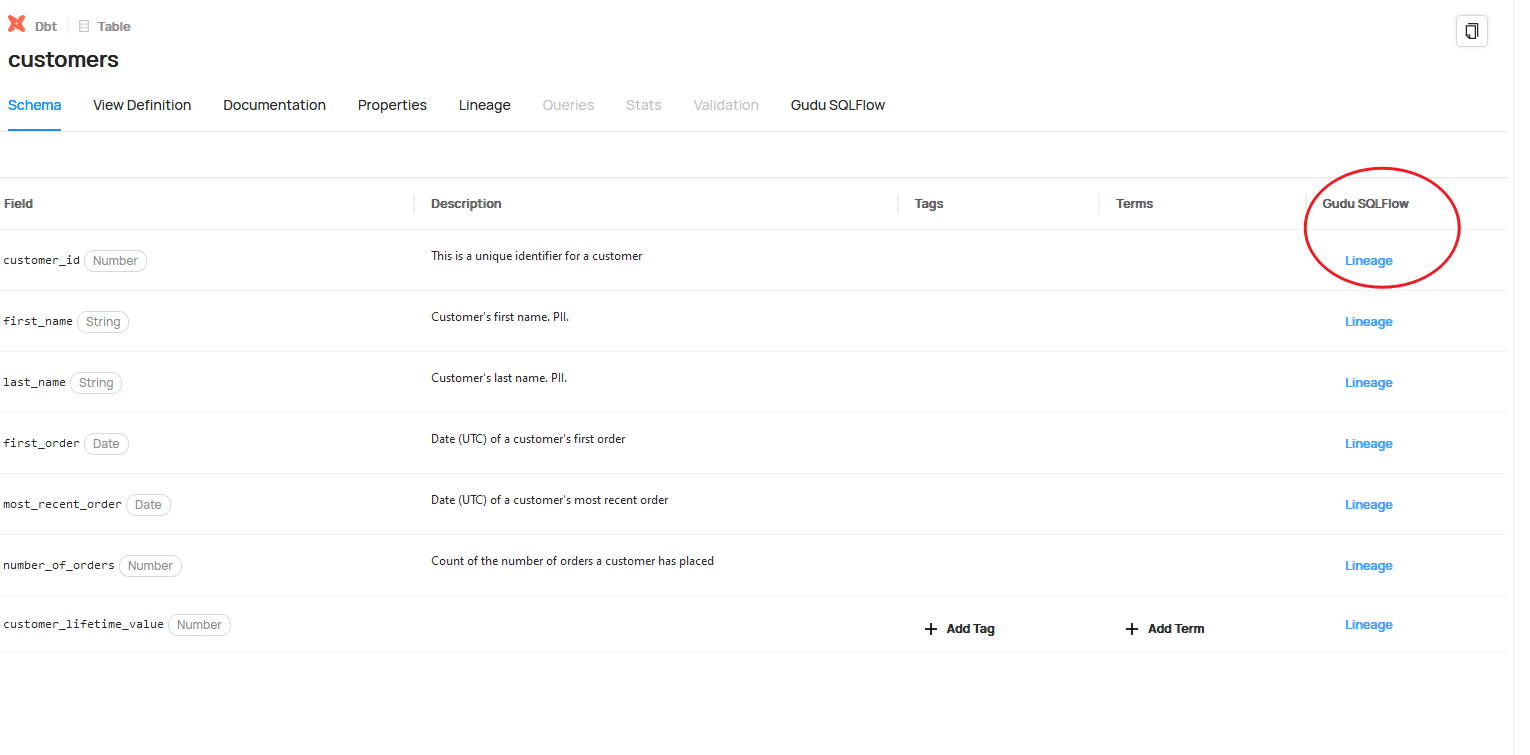
6. See the full column level lineage
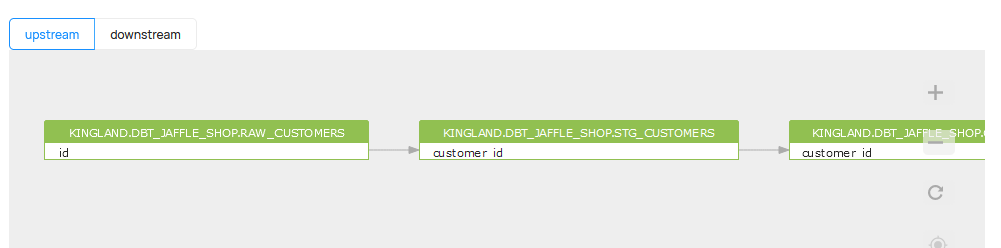
Feel free to contact us if you like to integrate the Gudu SQLFlow into your datahub platform and gain the ability to trace column-level data lineage.